
A shared drive that files itself.
The Librarian is an AI filing clerk for your company's documents. Point it at the folder everyone dreads, and it reads every file, proposes a clean structure, and — only after you approve — puts everything where it belongs. In your storage, not ours.
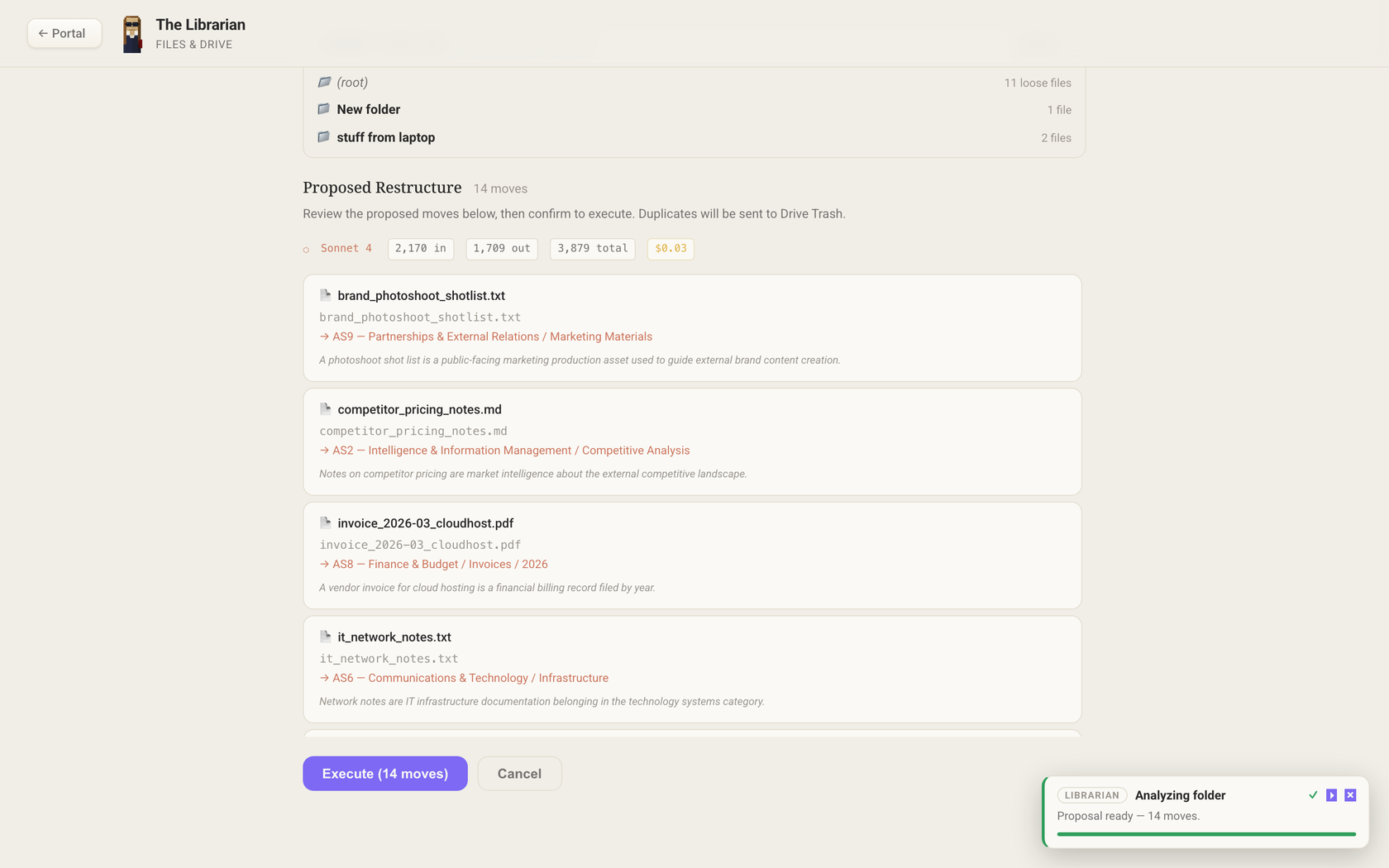
The Librarian explains every move before it makes one. (Demo data shown.)
Every company has that folder.
The one called “New folder”. The desktop dump from a laptop that got replaced. Invoices next to resumes next to a contract someone scanned as scan_0042.pdf. Nobody files, because filing is nobody's job — so finding anything becomes everybody's job.
Contracts live in inboxes, downloads folders, and three different “Final” folders.
Your filing system is one person's memory. It leaves when they do.
Someday costs a weekend and it's messy again in a month — because nothing keeps it clean.
From junk drawer to filing system in one pass.
This is a real, unedited run: fourteen loose files — invoices, a signed MSA, meeting notes, a resume — organized into a nine-division filing system in under a minute.
Point it at a folder
Your Drive root, a SharePoint library, or the NAS share everyone dumps into.
Review the plan
It reads every file and proposes each move with a one-line reason. Nothing happens yet.
Approve — it files
Moves execute, every change is journaled, and one click rolls any of it back.
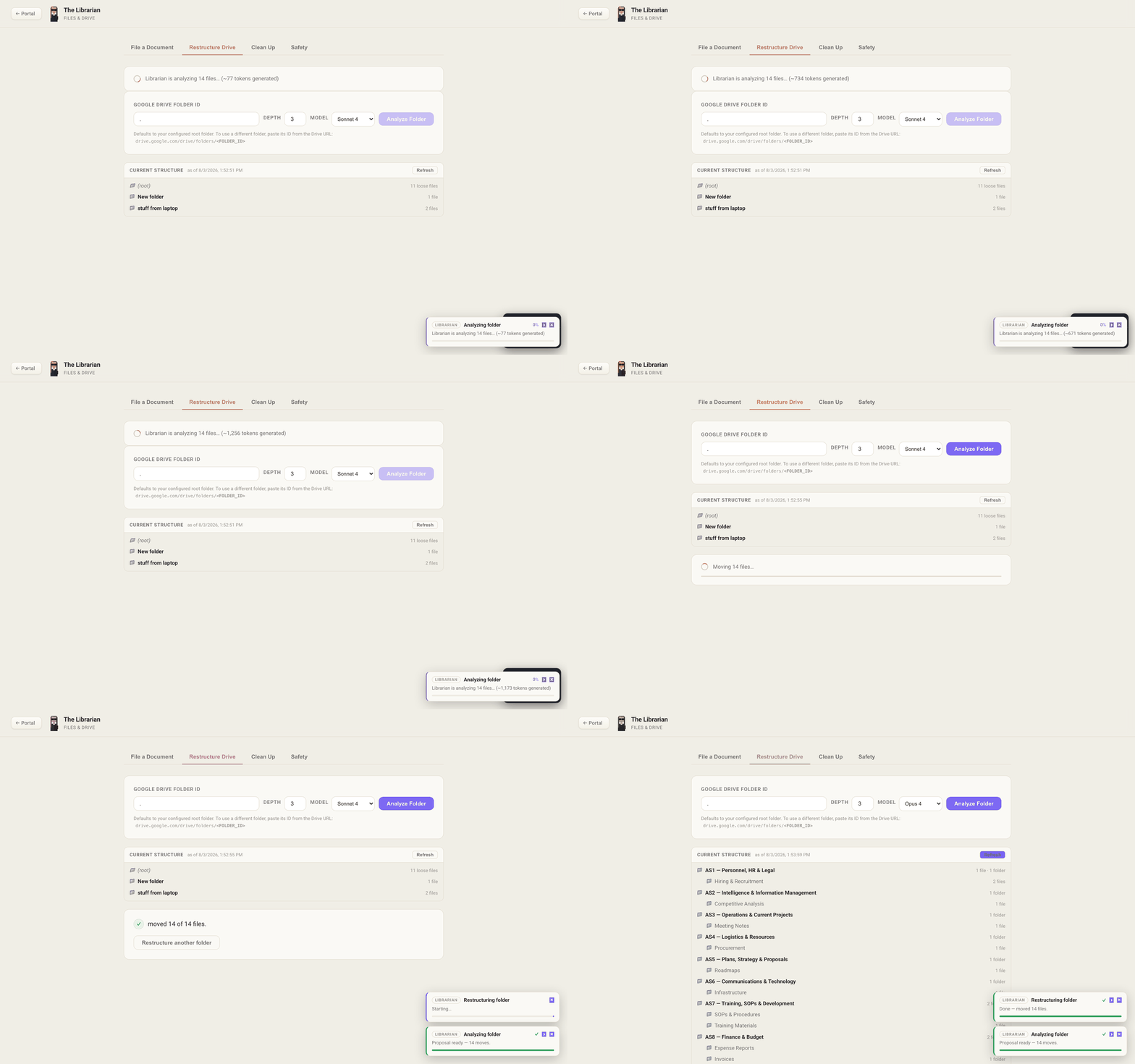
Analyze → propose → approve → filed.
Day two and every day after: just hand it the file.
The first pass cleans up the past. From then on you never think about where anything goes — drop a document on the Librarian and it reads it, decides where it belongs, and files it there. Email attachments can be filed the same way, automatically.
Filing stops being a chore anyone has to remember, because it isn't anyone's job anymore. It's the Librarian's.
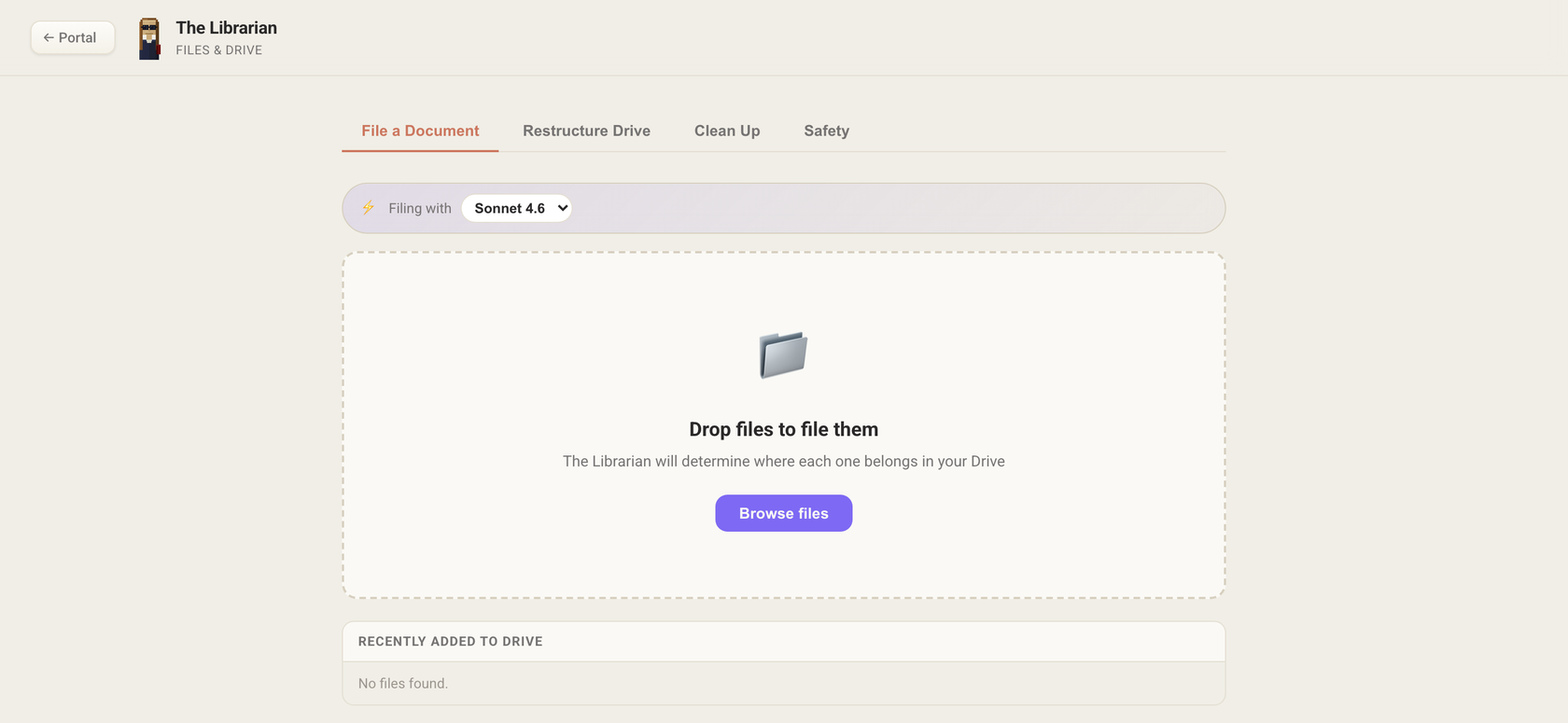
Drop it and forget it — the Librarian decides where it belongs.
It organizes files where they already live.
The Librarian is not another place to put your documents. It works inside the storage you already pay for and already trust.
Google Drive
Share a folder with the Librarian's service account and it goes to work — Shared Drives included.
SharePoint & OneDrive
Connects through Microsoft Graph to organize document libraries in place.
Your NAS or file server
A tiny connector runs on your network — outbound-only, no VPN, no firewall holes — and the Librarian organizes the share at LAN speed.
Your storage stays the system of record. We never move your files into ours.
Careful by design, not by promise.
Nothing moves without your OK
Approval is enforced on the server, not just a button in the interface. The plan is the contract.
Every change is journaled
Each bulk move, rename, and cleanup is recorded as a change set you can inspect afterward.
One-click rollback
Roll back an entire change set — or a single file — and everything returns exactly where it was.
Start in read-only
Trial mode can't move anything: the Librarian only proposes, so you can judge its work risk-free.
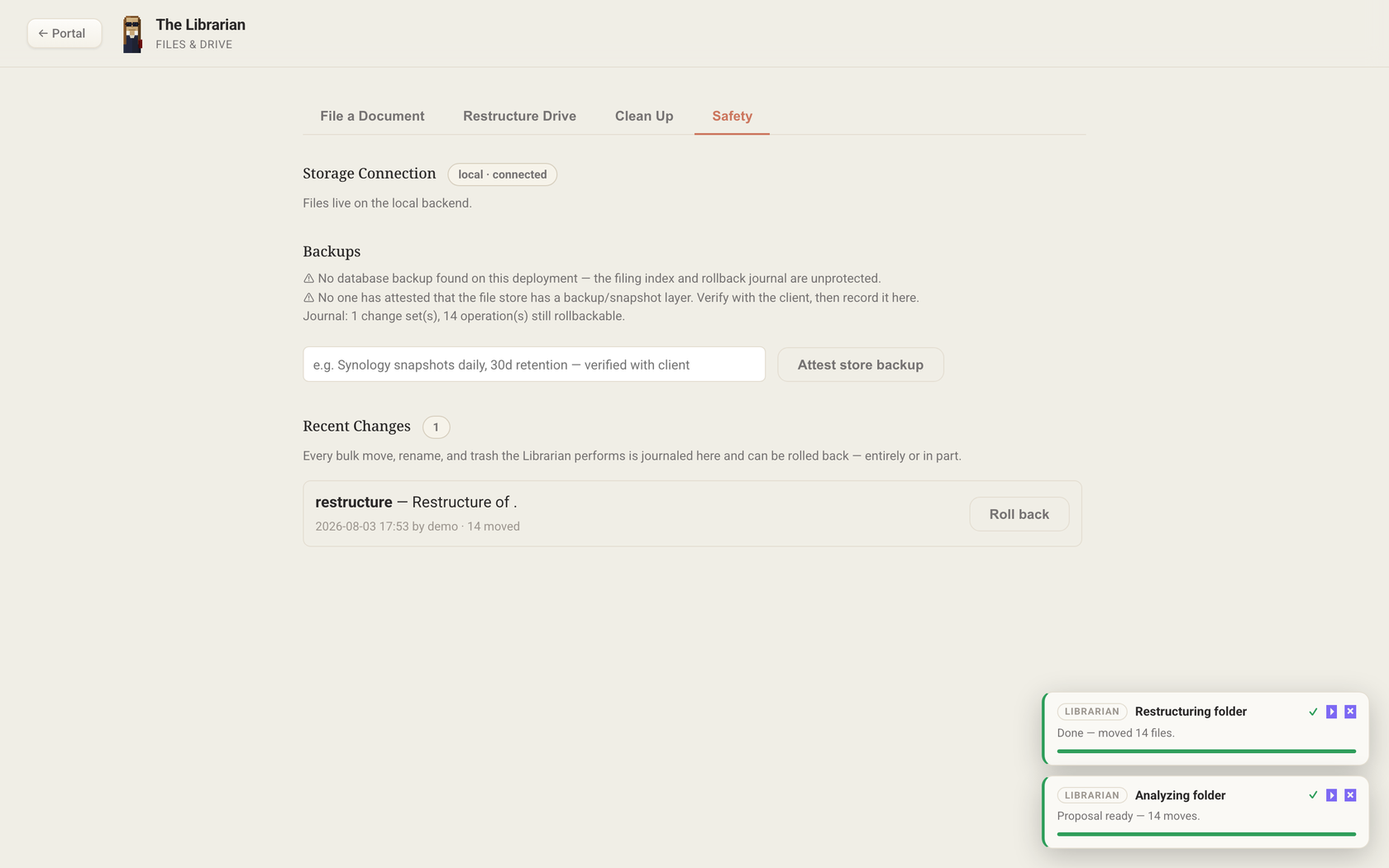
The Safety tab: the journal, rollback, and backup attestation — always one click away.
Nine divisions. Every file has a home.
Out of the box, the Librarian files into a structure modeled on the military staff system — proven for a century in organizations far messier than yours. But it's a starting point, not a lock-in: describe the structure you want in plain language and the Librarian files to that. Change your mind later and it reorganizes what's already filed to match.
People, hiring, org charts, employee records
Research, analytics, competitive analysis
Active projects, SOPs, meeting notes
Vendors, equipment, procurement, licenses
Roadmaps, OKRs, annual plans, forecasts
IT, infrastructure, technical docs
Training materials, guides, certifications
Invoices, budgets, expenses, tax documents
Clients, contracts, proposals, marketing
See your own drive, organized.
Pick a plan, connect your storage, and the Librarian starts in read-only trial mode — it shows you the plan it would execute before a single file moves. Nothing to install.
Purchase